April 8, 2024
Overview
Key Features
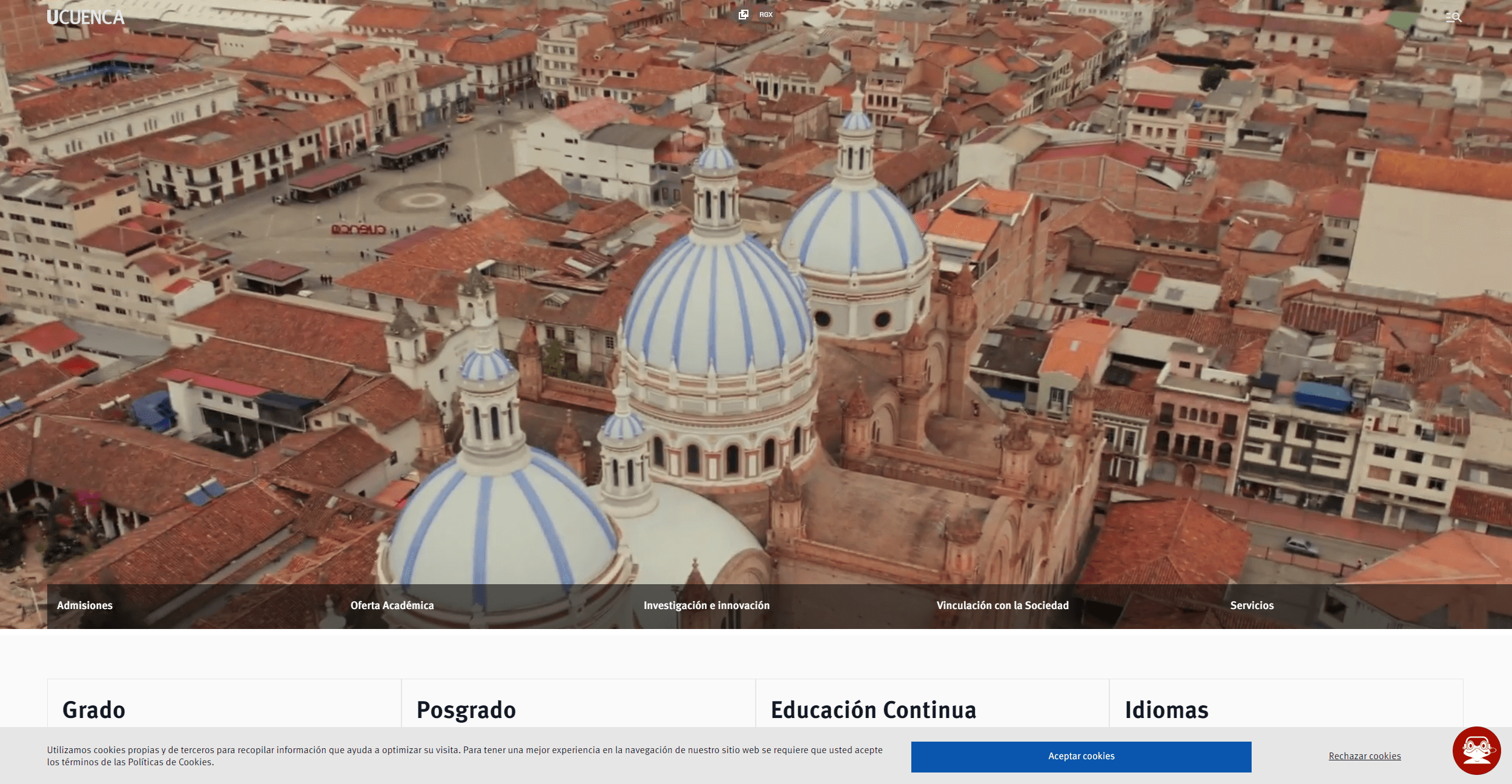
- Responsive & Accessible Design: Clean, mobile-friendly layout with WCAG compliance (e.g., alt text, keyboard navigation).
- Role-Based CMS with Permissions: Allow departments to manage their content securely while maintaining brand consistency.
- Audience-Specific Portals:Tailored sections for students, faculty, alumni, and donors (e.g., admissions tools, research databases).
- Advanced Search & Navigation:Smart search with filters + clear menus/breadcrumbs to simplify content discovery.
- Dynamic Content Integration: Real-time updates for events, news, and course catalogs via APIs or CMS plugins.
- Analytics & Security: Track user behavior for insights + ensure GDPR compliance and secure payment processing.
Gallery
Technologies Used
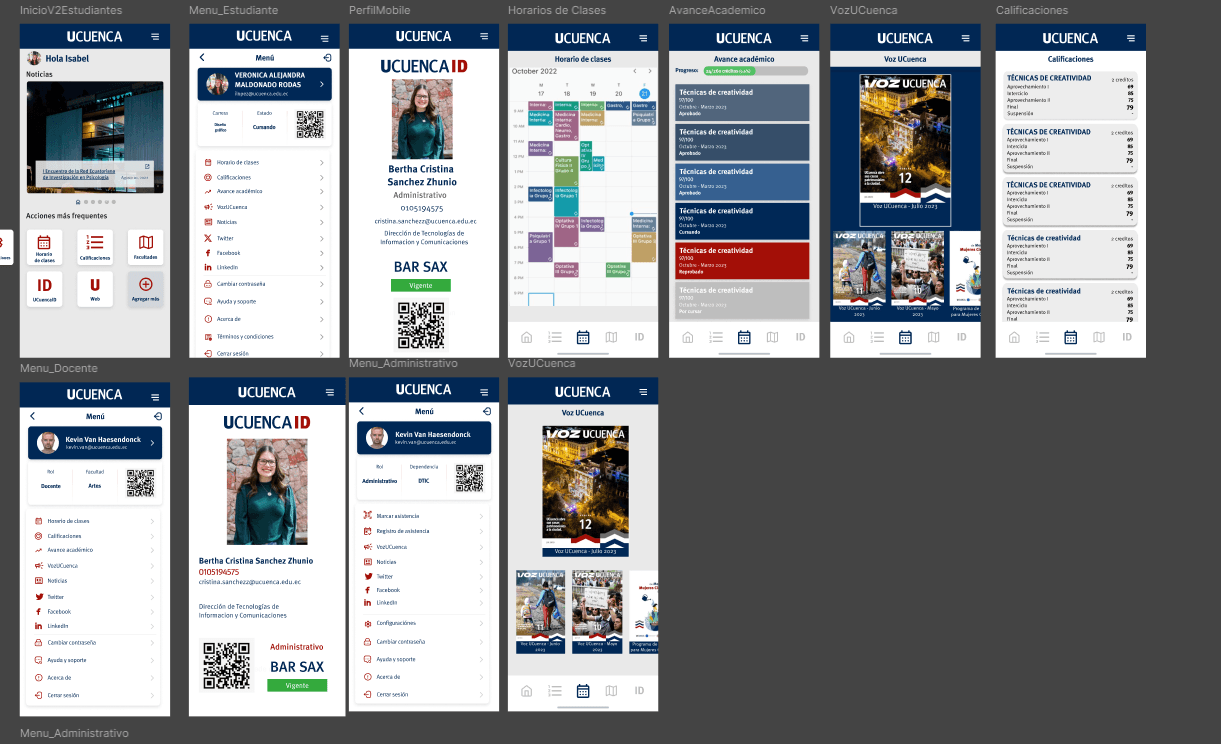
- Figma: For creating and managing design assets and prototype, as well as sharing the libraries and design with the development team.
- Adobe Illustrator: creating vector graphics.
- Jira: Applying agile development techniques for managing timelines
Challenges
- Content Overload: Managing 300+ pages requires extensive audits to eliminate redundancy, update outdated content, and ensure consistency in messaging.
- Stakeholder Alignment: Balancing competing priorities from departments (e.g., admissions, faculty, alumni) while maintaining institutional branding and consistency.
- Team Collaboration: Coordinating between communication teams (content, messaging) and developers (tech, UX) to align on workflows, timelines, and tools (e.g., CMS, design systems).
- Technical Complexity: Integrating legacy systems (e.g., course databases, event calendars) with new platforms, ensuring responsiveness, accessibility (WCAG compliance), and fast performance.
- User Experience (UX): Designing for diverse audiences (prospective students, faculty, alumni, donors) while simplifying navigation and reducing friction (e.g., clear CTAs, mobile optimization).
- Project Scope & Timeline: Avoiding delays caused by endless revisions, content delays, or technical hurdles, while maintaining transparency with stakeholders.
Learning Opportunities
- Content Strategy: Mastering prioritization and hierarchy in large-scale content ecosystems.
- Cross-Functional Collaboration: Developing processes for seamless teamwork between creatives, writers, and developers (e.g., agile workflows, shared asset libraries).
- Stakeholder Management: Building consensus through clear communication, compromise, and iterative feedback loops.
- Technical Best Practices: Gaining expertise in CMS (e.g., WordPress, Drupal), accessibility standards, and performance optimization (e.g., lazy loading, caching).
- User-Centric Design: Applying insights from user testing and analytics to refine navigation and content delivery.
- Agile Project Management: Learning to adapt to scope changes while keeping the project on track.
Measurable outcomes
- Content reduced from 300+ to ~180 active pages after the audit, removing duplicates and obsolete content.
- A reusable component library covering 40+ components shared between the main site and the mobile app — every new page on the university's site pulls from this library instead of reinventing markup.
- WCAG AA compliance achieved on all primary navigation and content templates (verified via axe-core).
- Mobile-first redesign so that the majority of the university's traffic (prospective students on phones) lands on layouts designed for them, not desktop layouts squeezed down.
- A documented design-to-dev handoff that the internal WordPress/React team continues to use for ongoing section launches, without needing me in the loop for each change.